About Evidence & 'My Evidence'
Last updated: July 29, 2026
Summary
Evidence is the core of what the learner collects in their Portfolio. Evidence typically consists of an Artifact, Feedback, and engagement with the Feedback. Evidence can have one or more Versions, with Feedback dialogues for each of the Versions.
What is Evidence?
In Portflow, Evidence tells the story of learning experiences and activities executed or steps taken by learners. They are supporting materials for proving the learning progress during the learning journey. Evidence can be related to both the product (assignments, project results, etc.) and the process (drafts, iterations, reflections, plans, etc).
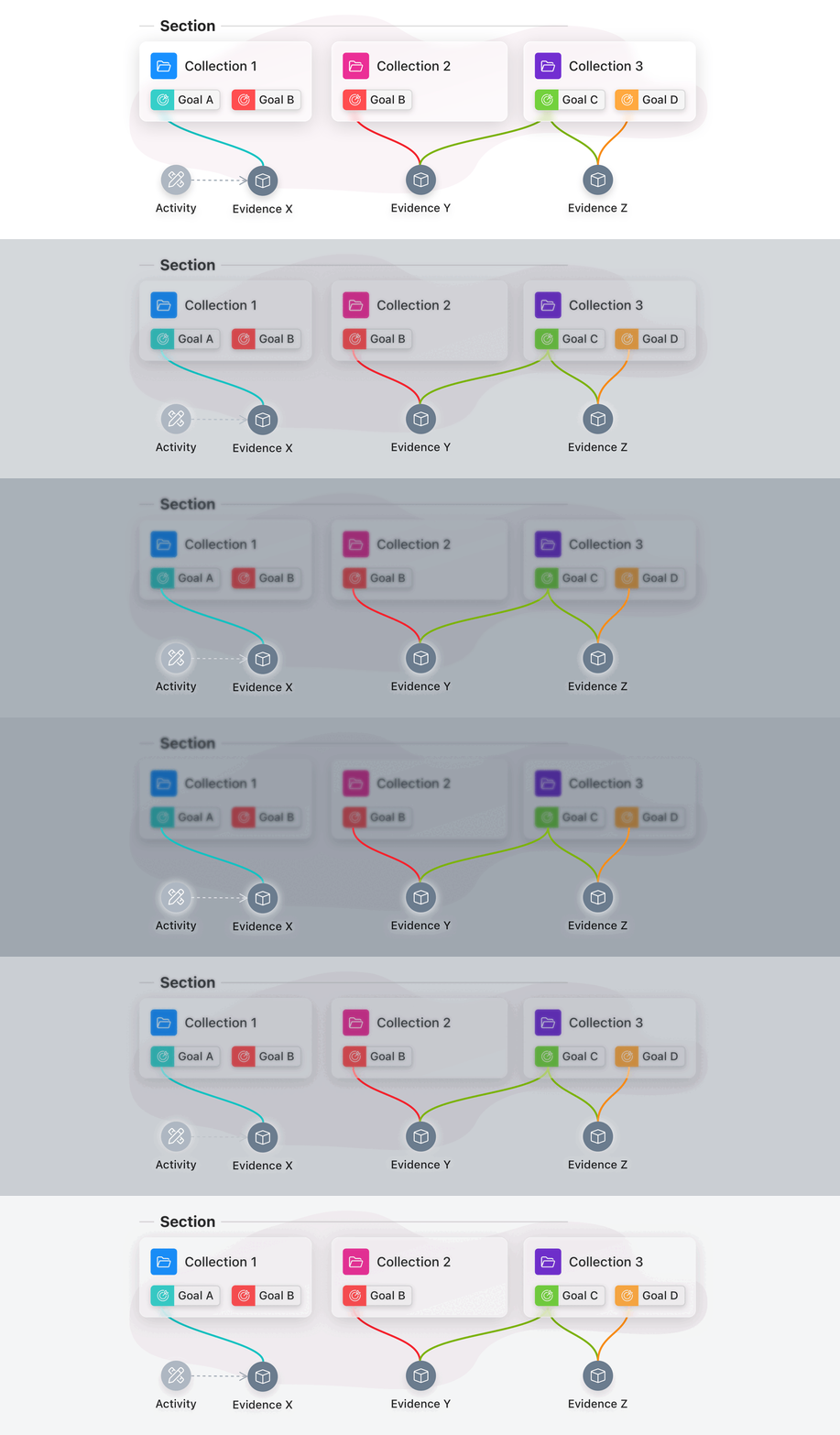
Evidence can have multiple Versions. These Versions show the history of this Evidence. Evidences can be linked to (multiple) Collections and Goals, and the learner can collect and engage with Feedback on the Evidence.
Types of Evidence
As a learner, you can add different types of Evidence. Versions of Evidence can each be of different types.
These are possible evidence types:
Upload File (from computer, phone, or MS OneDrive/SharePoint):
Import LMS assignments or activities, including feedback and rubrics (for Canvas or Brightspace):
Create Free Text (using the Portflow text editor):
Add URL to external evidence
Embed Video from video hosting platforms:
Import Badge evidence:
Adding Evidence can be done via the My Evidence page or directly in a Collection or Goal. Existing Evidence can also be linked to another Collection or Goal.
Note: When the Evidence is not linked to any Collection, it is not visible to others who have access to your Portfolio.
Properties of Evidence
Evidence may contain additional properties (next to its contents). Evidence can have the following properties, where properties marked with an * are optional:
Title
Upload/creation date (automatically)
Type of last version (automatically)
Execution date*
Location*
Duration*
Linked to collection(s)*
Linked to (sub-)goal(s)*
Linked to activity(s)*
More information about linking evidence to Collections, Sections, and Goals: 📄 Link Evidence to Collections, Goals, and Activities
How to add optional metadata to Evidence?
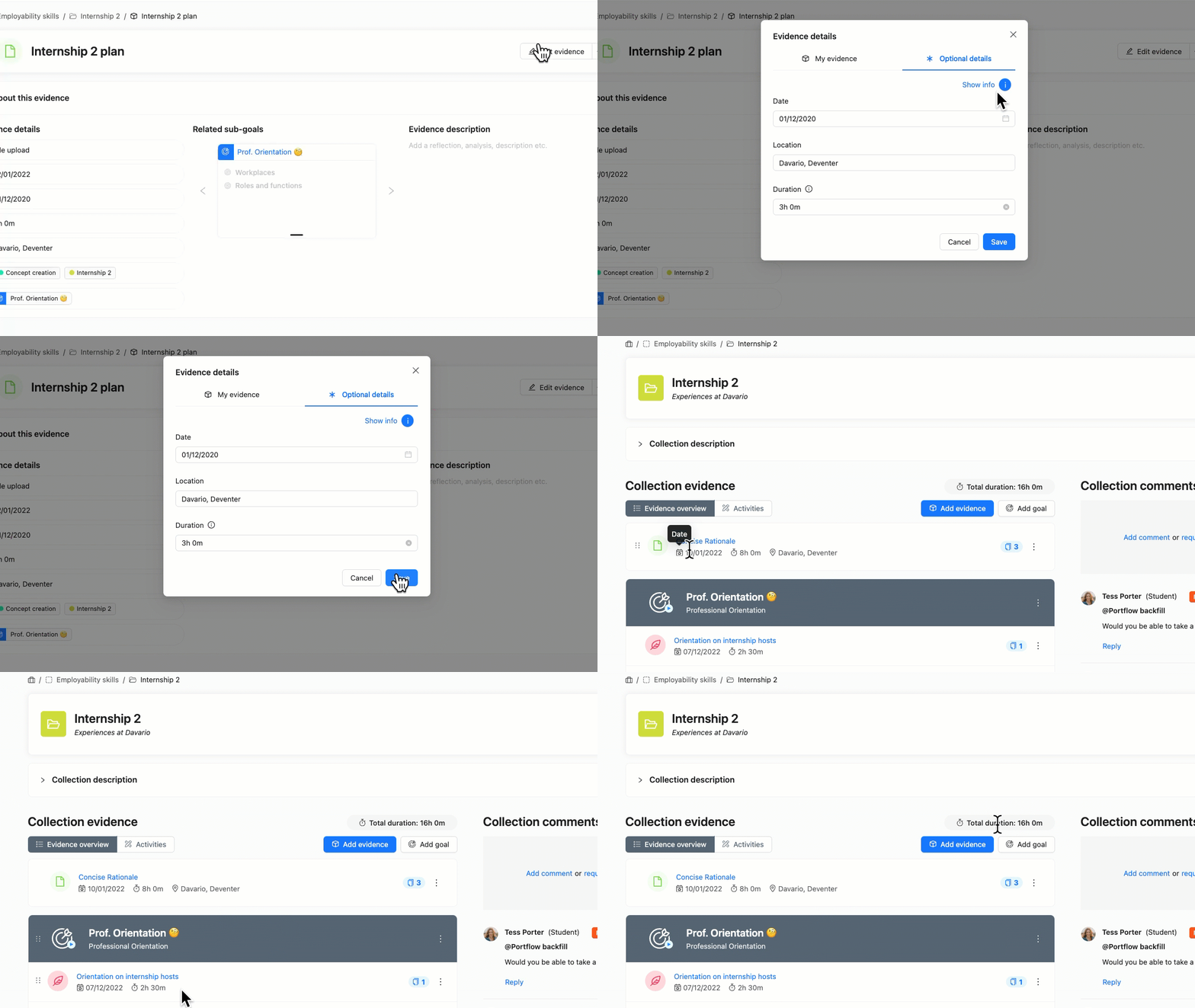
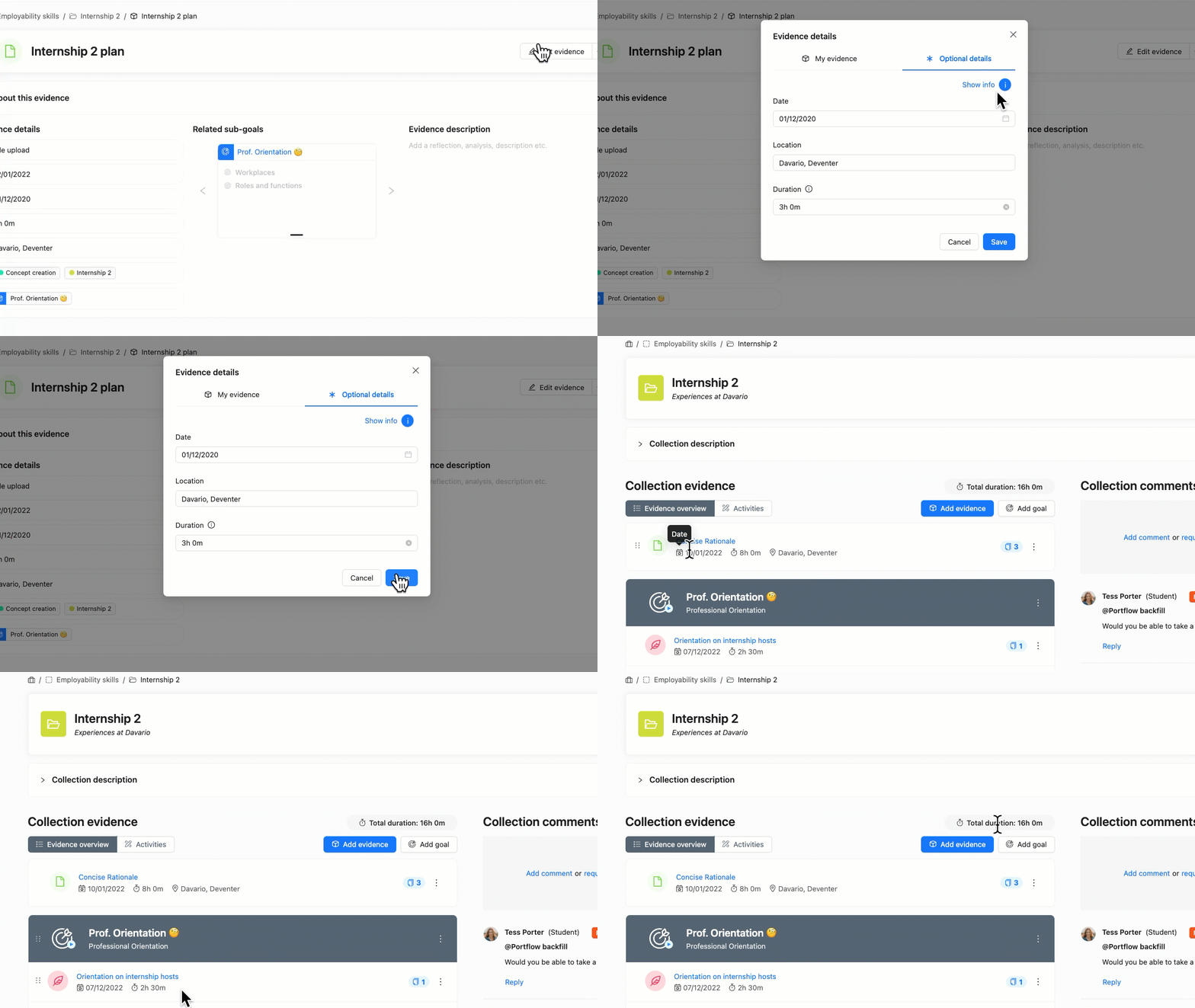
Metadata can be added to new or existing Evidence to provide info on the execution date, location, and duration of the learning experience the Evidence is referring to.
Create new Evidence or edit existing Evidence.
In the Edit details pop-up of the Evidence, go to the second tab: Optional details.
Fill in the fields you would like to use.
Note:
Used locations will be suggested for other evidences
For duration, you can either use the format 1h 5m or 1:05
Duration will be aggregated (calculate the total time) within a Collection
Save the Evidence.
The 'My evidence' page
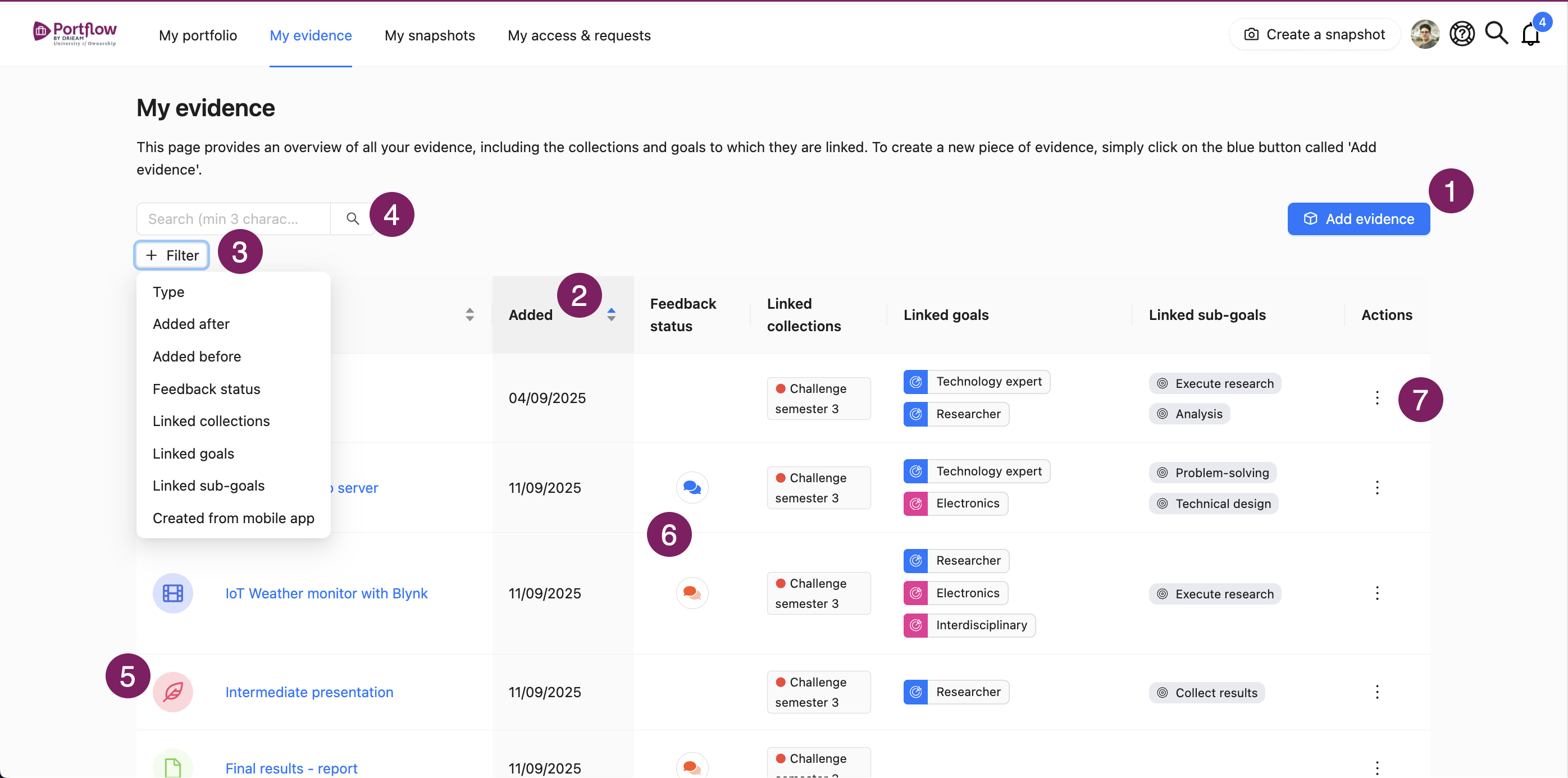
In the main menu, you can navigate to My Evidence. Here, you will find an overview of all the Evidence within your Portfolio, with and without associated Collections or Goals.
You can Add different types of Evidence (1), sort by date or name (2), filter by multiple characteristics (such as type, date, feedback status, linked collections or linked (sub)goals, created with mobile app) (3), and search for evidence (4).
The Evidence type (5) is displayed with an icon (LMS assignment, free text evidence, file, link, video evidence, or badge).
Note: The type of the Evidence is determined by the type of the latest version of that Evidence.
The Feedback status (6) is displayed with a colour (blue = feedback given, gray = unsolicited feedback, orange = feedback request sent, nothing = no feedback requested or given). The Action menu (︙) (7) allows you to delete Evidence, or manage links to Collections or (Sub-)Goals.
Evidence previews
Portflow automatically creates previews of Evidence for most common file types. These are created in the background, directly after importing or uploading Evidence. If a certain file type is not supported to be previewed, it can still be downloaded from the Evidence page.
Note:
Note that the preview can differ from where you created the file, due to the previewing method of Portflow. For this reason, to ensure the best possible representation, create a .pdf file of your Evidence and upload that to Portflow.
Portflow supports previews for at least the following file extensions:
.123 .602 .abw .bib .bmp .cdr .cgm .cmx .csv .cwk .dbf .dif .doc .docm .docx .dot .dotm .dotx .dxf .emf .eps .epub .fodg .fodp .fods .fodt .fopd .gif .htm .html .hwp .jpeg .jpg .key .ltx .lwp .mcw .met .mml .mw .numbers .odd .odg .odm .odp .ods .odt .otg .oth .otp .ots .ott .pages .pbm .pcd .pct .pcx .pdb .pdf .pgm .png .pot .potm .potx .ppm .pps .ppt .pptm .pptx .psd .psw .pub .pwp .pxl .ras .rtf .sda .sdc .sdd .sdp .sdw .sgl .slk .smf .stc .std .sti .stw .svg .svm .swf .sxc .sxd .sxg .sxi .sxm .sxw .tga .tif .tiff .txt .uof .uop .uos .uot .vdx .vor .vsd .vsdm .vsdx .wb2 .wk1 .wks .wmf .wpd .wpg .wps .xbm .xhtml .xls .xlsb .xlsm .xlsx .xlt .xltm .xltx .xlw .xml .xpm .zabw