AI in Portflow: Feedback analysis and Goal suggestions (beta)
Last updated: October 8, 2026
Summary
Portflow offers AI-powered summarised analyses of received qualitative Feedback on Goals in terms of strengths and challenges. Institutions can use Portflow's contracted LLM or link their own (contracted) LLM: BYOLLM.
Note: All data is processed confidentially and in accordance with applicable laws and regulations within the EU, see also our Trust Portal.
Feedback analysis with AI
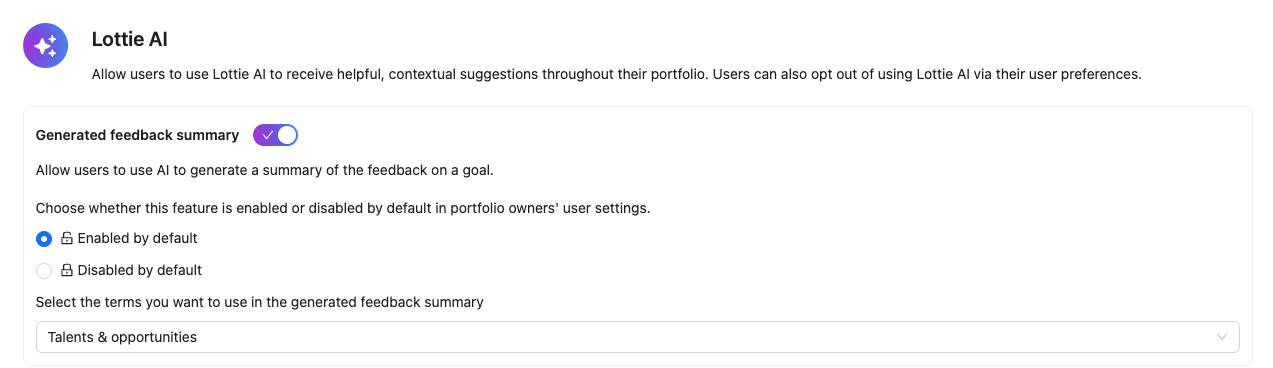
Portflow allows you to quickly and easily form a picture of how you are doing as a learner, based on historical Feedback. The first AI functionality in Portflow is an analysis and summary of qualitative feedback (📄 Progress Tab & Goal Cards) received in the Goal Card. This analysis gives the learners and their coaches quick insight into talents and challenges, based on all Feedback received on a Goal (e.g. competency, learning outcome, skill, attribute, etc.). This takes into account the different perspectives that have been involved in the learning process.
The learner may have received a lot of feedback over time. This feedback can be collected at the level of Evidence, Collections, and Goals (via Progress Reviews). All of this Feedback, from the different perspectives involved, is collected on the aggregated Feedback overview of the Goal Card: 📄 Progress Tab & Goal Cards
Configuration
The wording for the strengths and challenges can be selected by Portflow admins when they enable the Feature Option.
The admin can choose whether the feature is on or off by default for learners. If the feature is disabled by default, learners can opt-in via their user settings. If the feature is enabled by default, learners can opt-out via their user settings. If the feature is off in its entirety, no one can enable nor use the feature.
Changing the availability and switching it back will reset to the default behaviour for everyone, regardless of their personal settings.
Goal suggestions with AI
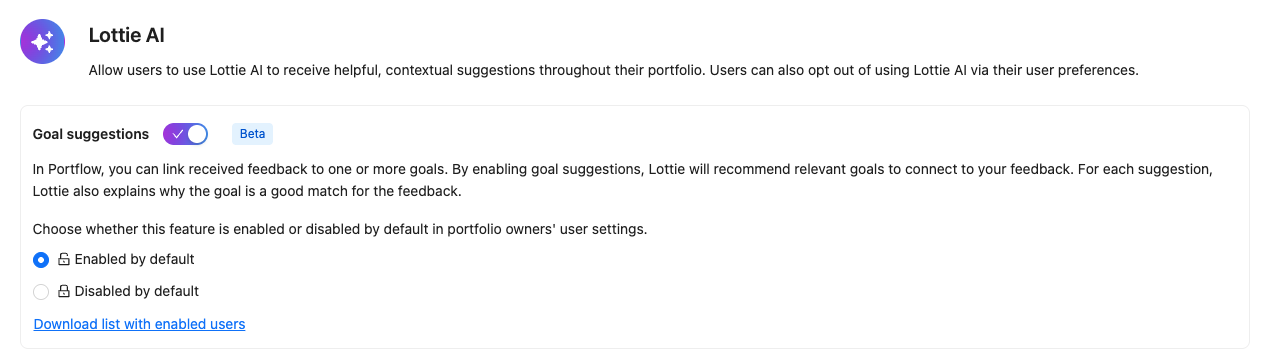
Learners can link received feedback to one or more of their (Sub-)Goal(s). Read more about this process:📄 Link Feedback to Goals. This feature options allows learners to ask AI-generated Goal suggestions for a specific comment. The AI takes into account all (Sub-)Goals, recently received feedback on these Goals, the Evidence context and the Feedback thread. It returns suggestions of which (Sub-)Goals might be relevant to link and an explanation of why it could be relevant. The learners can then select them or make their own choice of (Sub-)Goals.
Configuration
The admin can choose whether the feature is on or off by default for learners. If the feature is disabled by default, learners can opt-in via their user settings. If the feature is enabled by default, learners can opt-out via their user settings. If the feature is off in its entirety, no one can enable nor use the feature.
Changing the availability and switching it back will reset to the default behaviour for everyone, regardless of their personal settings.
The admin can download a csv file with the users who have the settings set to 'enabled'. This is including any users who have the feature enabled from following the institution default state.
BYOLLM (Bring Your Own Large Language Model)
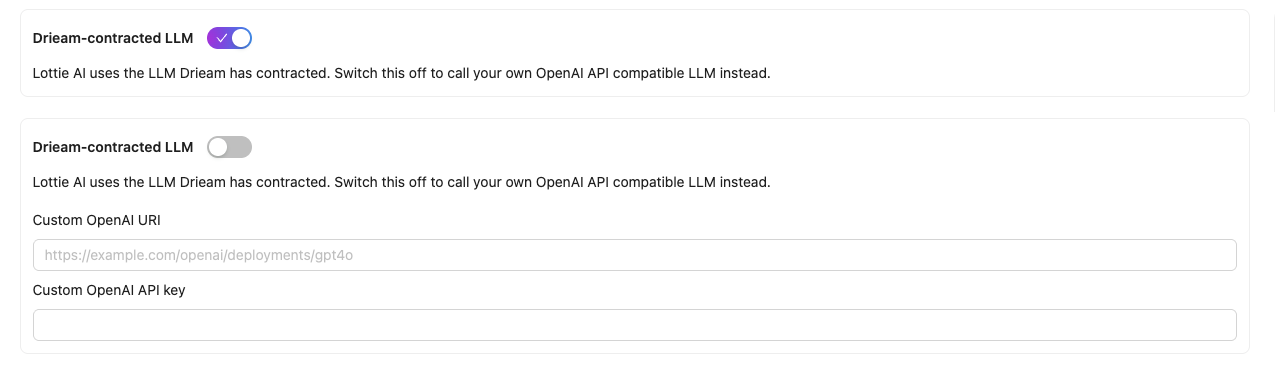
In addition to the possibility of using the AI services contracted by Drieam, it is also possible to configure your own (contracted) LLM in Portflow. This allows the institution to retain full sovereignty over its data, and also maintain control over costs and usage.