Mention Evidence, Collections, Goals, and Sub-Goals
Last updated: July 28, 2026
Summary
In various places in Portflow you can refer to Evidence, Collections or (Sub-)Goals. You do this by typing @name of the component. You can use this for example in a description field, Feedback comment, Progress Review invitation, or Free Text Evidence (see 📄 Create Free Text Evidence). Mentioning a component creates a clickable link to that component that is available as long as the visitor has access to that component.
How to create a Mention?
As a learner, go to the text field where you want to create a mention. Once you type an '@', a dropdown with some options will become available for you to choose from, or you can start typing the name of the component (Evidence, Collection, Goal). If you have many components with a similar name, you might need to enter more characters to find the right one. Select the mention with your mouse or press enter.
Note: Mentions can only be created by the learner (portfolio owner). Once created, are accessible to all visitors. If someone does not have access to the component, they will see the mention but cannot use it to access the mentioned component.
The mention is now available to you and visitors to your portfolio. If they do not have access to the mentioned component, a tooltip shows 'No Access'.
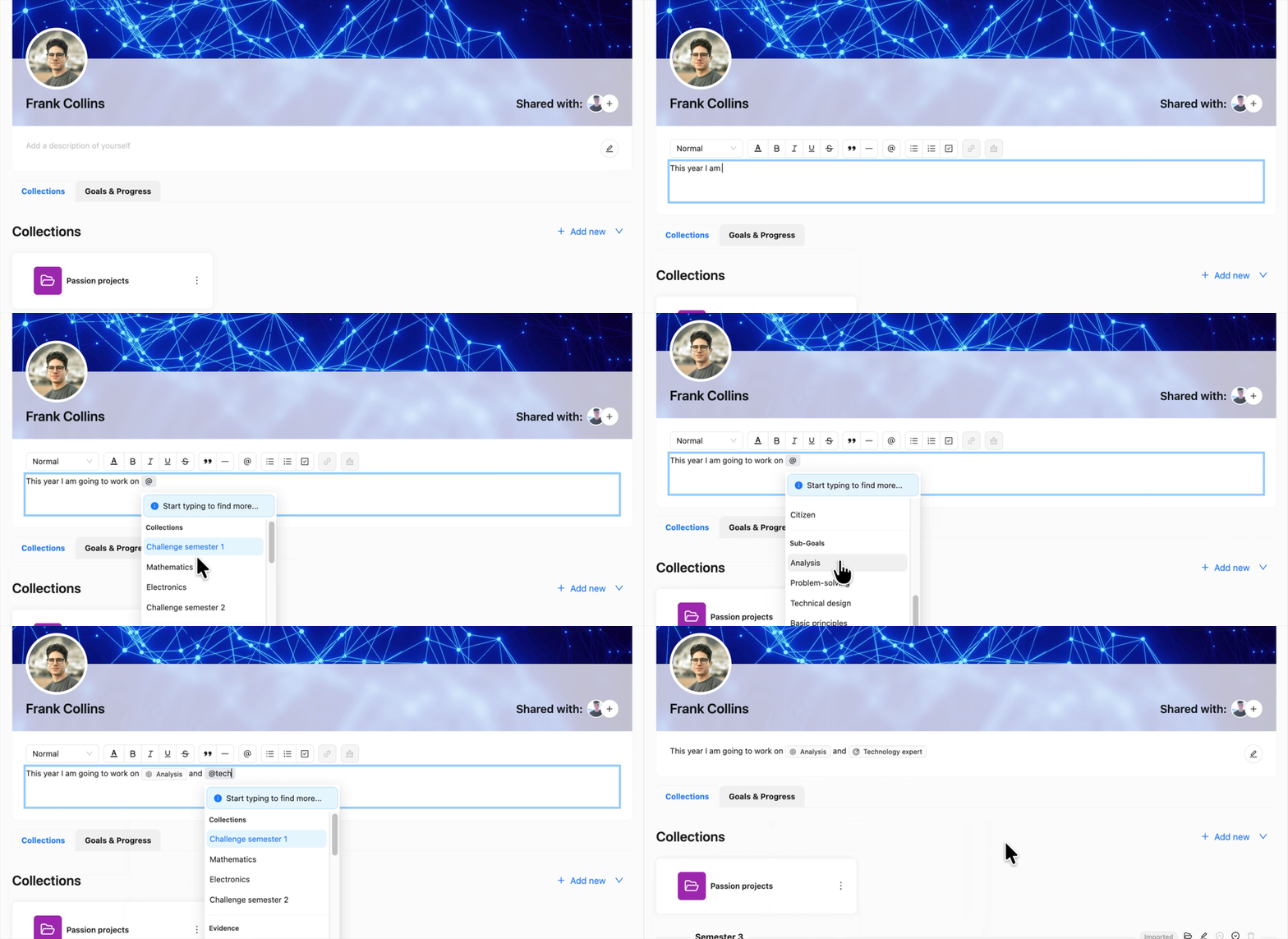
Note: Every type of mention has their own icon. A Goal mention is indicated by a target icon, an Evidence mention by a cube icon, a Collection mention by a folder and a Sub-Goal mention by a target without an arrow.