Export Portfolio
Last updated: August 7, 2026
Summary
A Portfolio Export provides an easy and efficient way to download your Portfolio to your device. You can export all Evidence and Feedback in one ZIP file. Export the ZIP file and keep it safely on your computer, or upload it to a cloud storage.
Applicable for | 🐼 |
Not applicable for | — |
Note:
Portfolio Exports need to be enabled by a Portflow admin, see 📄 Feature options.
How can I make an Export of my entire Portfolio?
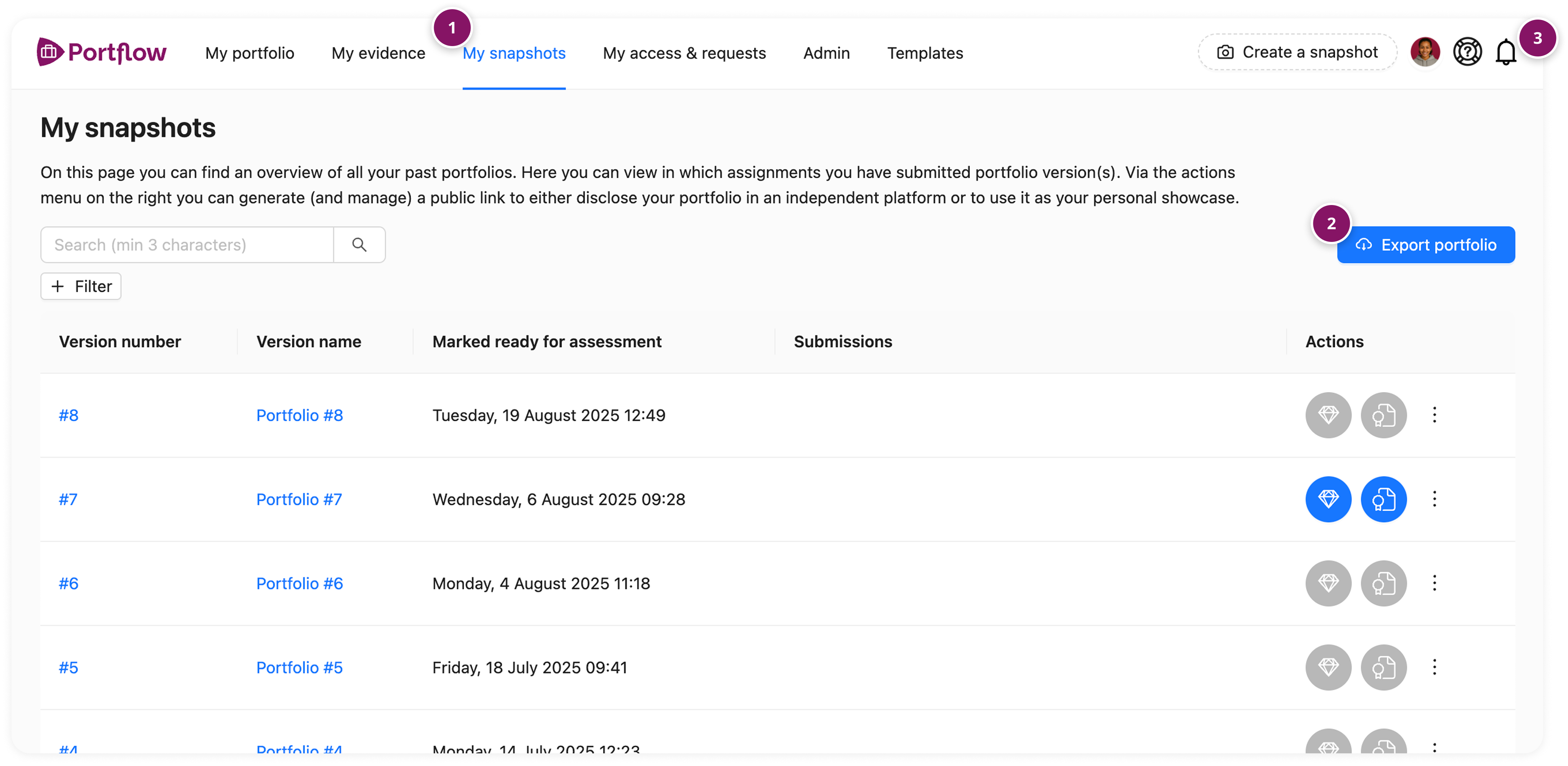
As a learner, go to the My Snapshots page (1)
Press the button Export Portfolio (2)
Wait for the Export to be generated (this may take several minutes)
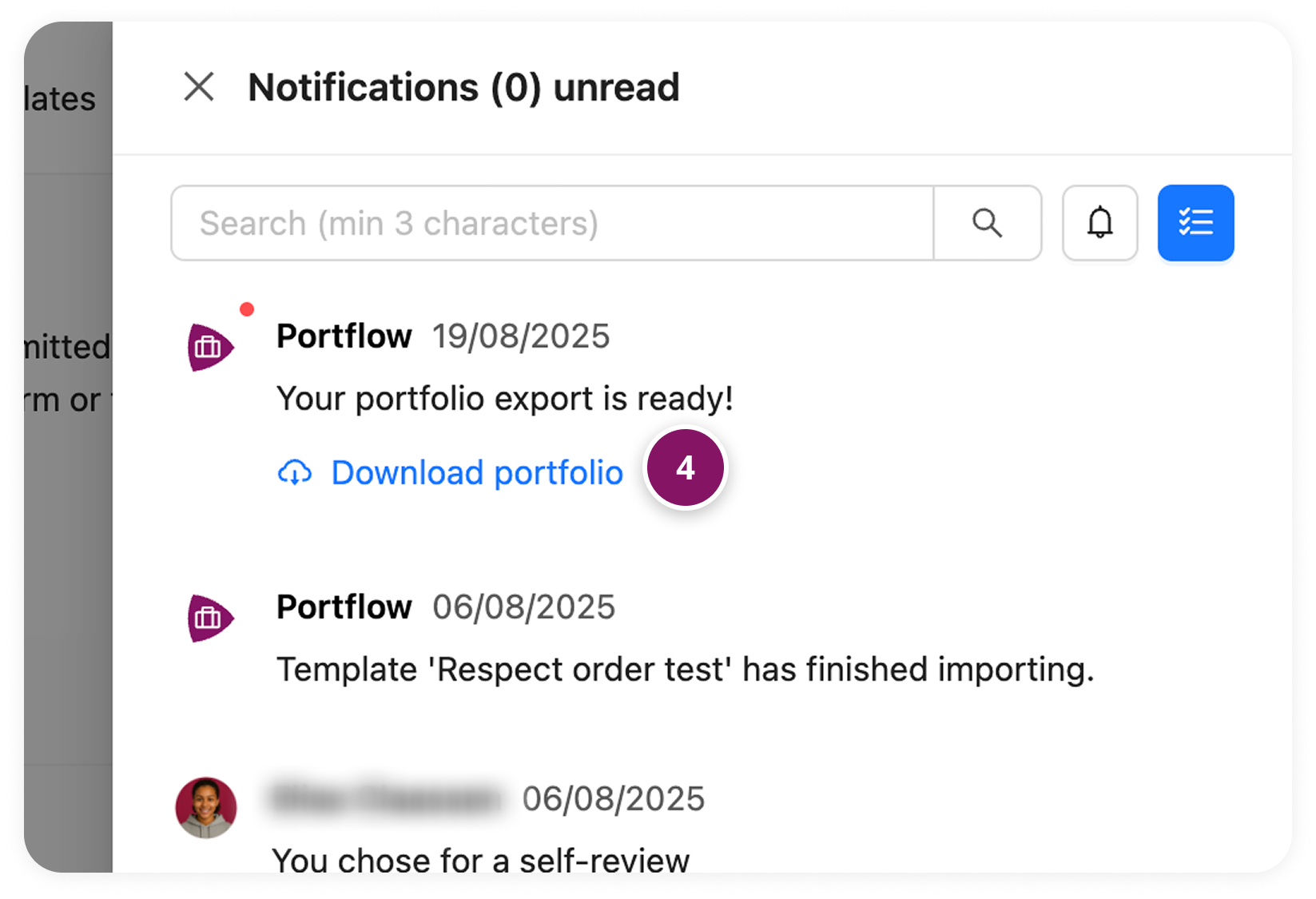
Open your Notifications, by clicking on the bell at the top right (3)
Click on the link Download portfolio once it is ready, to download your ZIP file
How can I make an export of a Snapshot?
You can also export a Snapshot as it was at that time. This also allows you to export only a portion of your Portfolio to a ZIP.
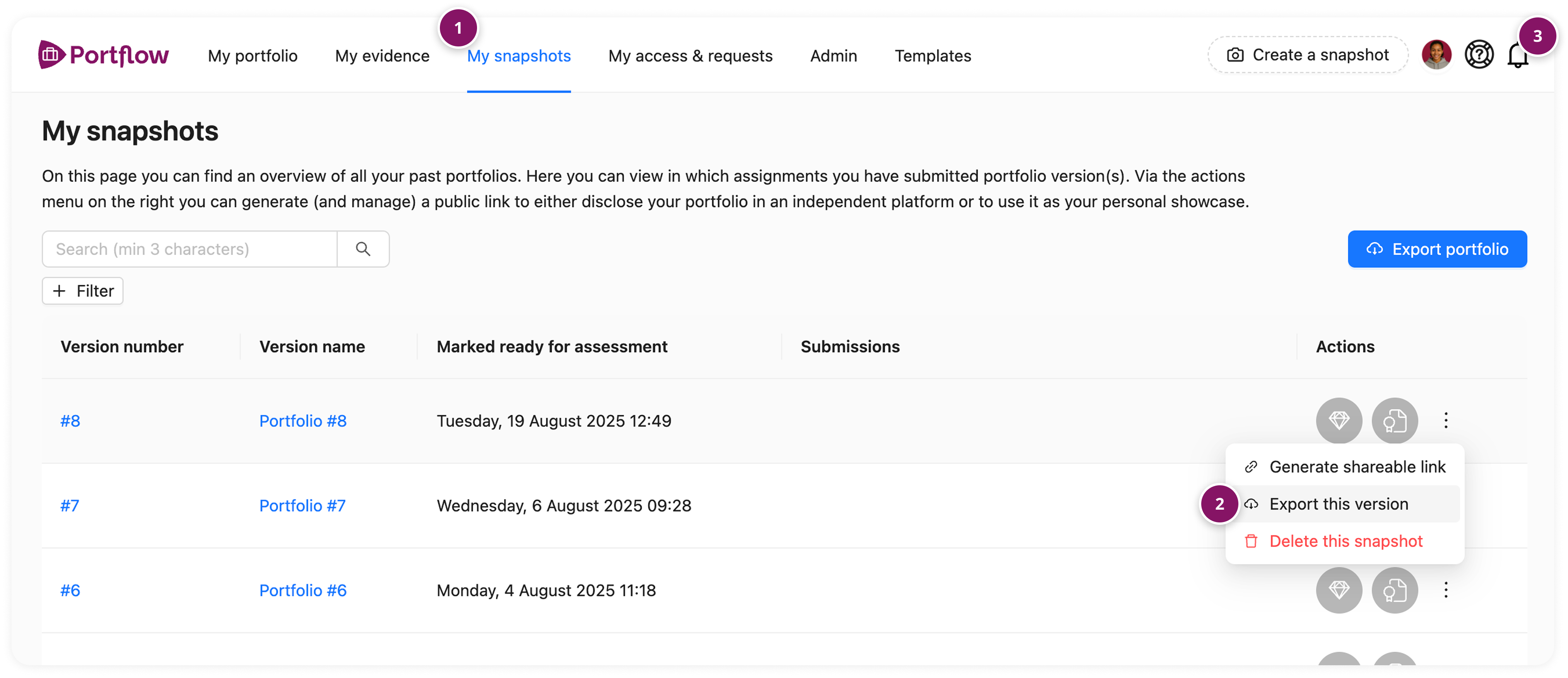
As a learner, go to the My Snapshots page (1)
Click the Action menu (︙) next to the Snapshot you want to export and select Export this Version (2)
Wait for the export to be generated (this may take a few minutes)
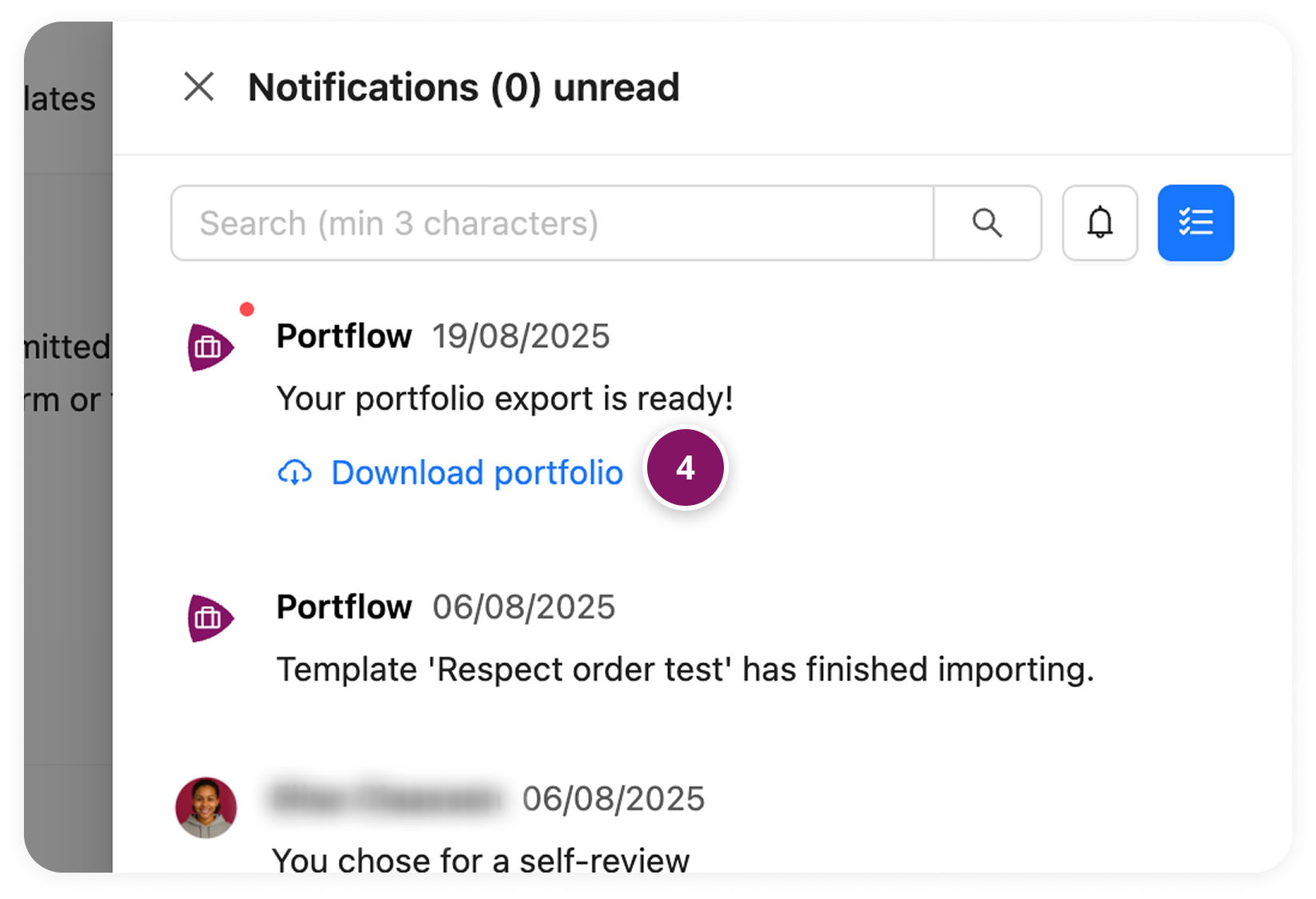
Open your Notifications, by clicking on the bell at the top right (3)
Click on the link Download portfolio, once it is ready, to download your ZIP file
Please note: If the name of an Evidence in your export is very long, you may receive an error message when extracting the .ZIP file from Windows Explorer. This also occurs if your .ZIP file has a long path name (if the file is located in many subfolders).
In that case, you can shorten the name of the Evidence or the path. You can also use an alternative zip manager such as 7ZIP to extract the .ZIP file.