Access shared Portfolios
Last updated: July 29, 2026
Summary
When you have received Access to someone's Portfolio you can view their Portfolio, provide Feedback or complete Progress Reviews.
Applicable for | 🐼 |
Not applicable for | — |
Who has shared their Portfolio with me?
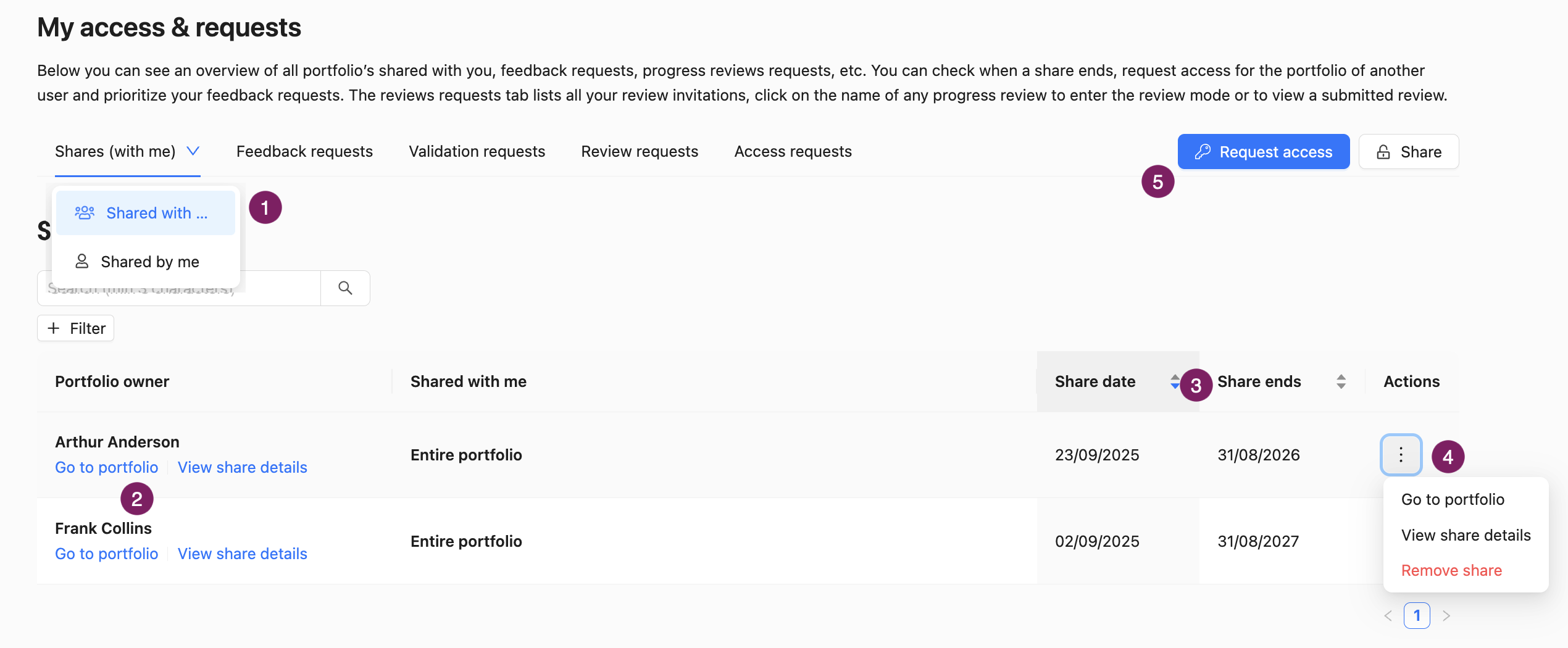
In the ‘My Access and requests' tab, under ‘Shares (with me)' heading, 'Shared with me’ (1), you'll find an overview of all Portfolios, Collections and Evidences shared with you by other users. You can visit their Portfolio directly from here (2).
You can also find the date you gained Access and when that Access ends (3). Using the three dots, you can remove the Share if you do not need it anymore (4). You can also view the Share details (e.g. which Feedback Access do you have).
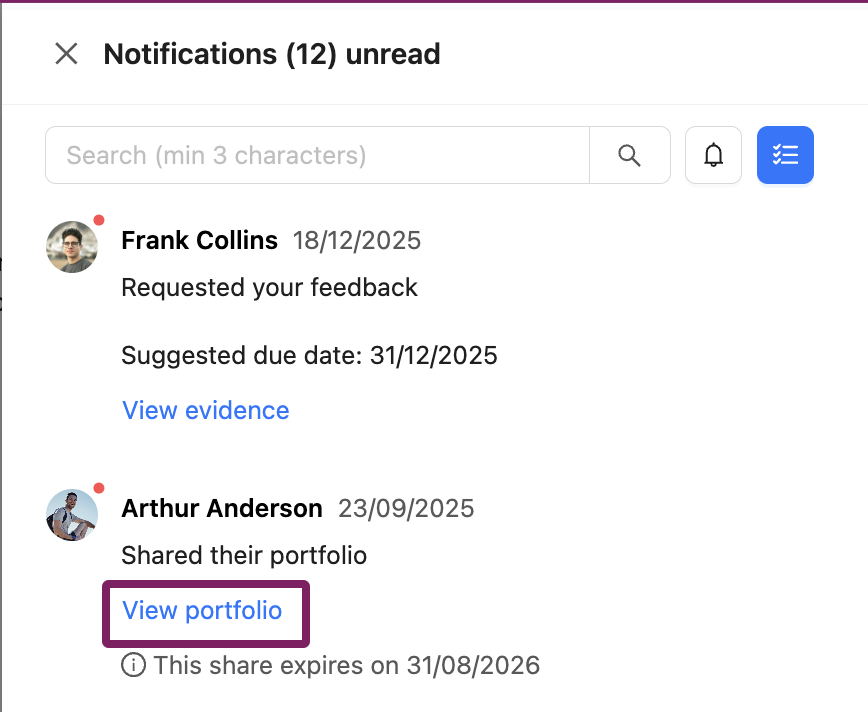
You will also receive a notification when someone has shared something with you. You can go to their Portfolio from the notification link. Learn more about notifications: 📄 Notifications
How can I request Access to someone's Portfolio?
Besides inviting someone to your own Portfolio, you can request Access to someone else's Portfolio. To do so, click on 'My access and requests' and then on 'Request access' (5). Find the person you would like to request Access to by entering their name or email address. You can enter multiple names at once.
If you are a teacher in a course for which the coaching dashboard (📄 Coaching Dashboard) has been enabled, you can immediately request access to the whole class.