Portfolio-Wide Search
Last updated: October 5, 2026
Summary
Portfolio-wide search allows learners to quickly find Evidence, Collections, Goals, and progress-related items (Feedback, Reviews) across their Portfolio from one central place.
Applicable for | 🐼 |
Not applicable for | — |
How to access Portfolio-wide search?
You can open the Portflow-wide search in two ways:
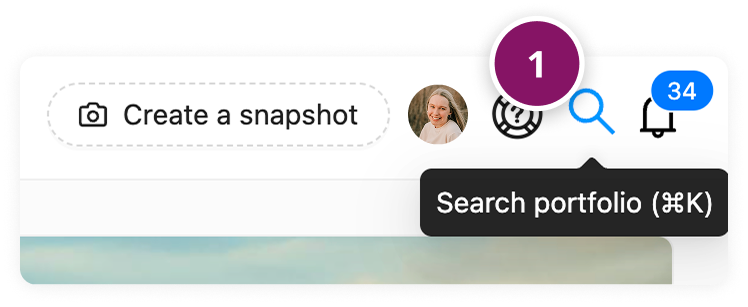
Click the Search icon (1) (magnifying glass) in the main navigation bar.
Or use the keyboard shortcut Command (⌘) + K (Mac)/ Windows + K (Windows).
How to use the search results?
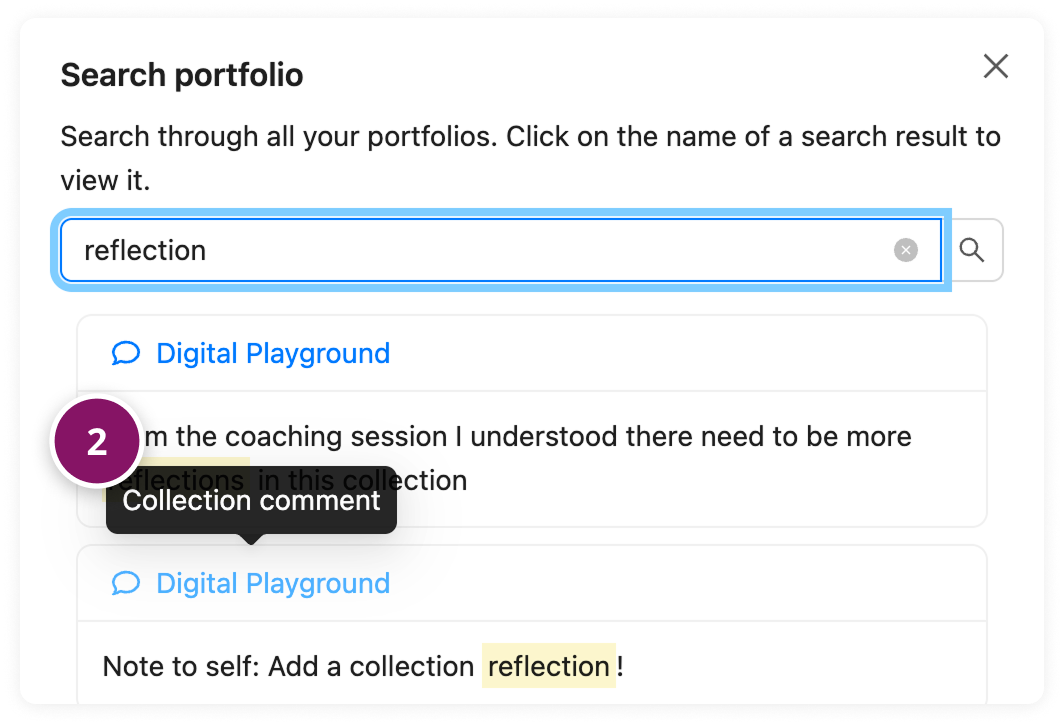
When you hover over an icon (2) in the search results, a tooltip appears showing the type of result.
Clicking a search result takes you directly to the relevant item, such as:
Opening a piece of Evidence
Showing the relevant Progress Review
What can you search for?
Portfolio-wide search looks through the following:
Evidence
Evidence name
Evidence Feedback/comments
Evidence description
Collections
Collection name
Collection subtitle
Collection Feedback/comments
Collection description
Goals and Sub-Goals
Goal name
Goal nickname
Goal description
Sub-Goal name
Sub-Goal nickname
Sub-Goal description
Reviews
Progress review: general Feedback
Progress review: Goal Feedback
Progress review: Sub-Goal Feedback
Note: Portflow-wide search does not search through the content of pieces of evidence (for example, uploaded files or document contents).