Merged users launch error (Canvas)
Last updated: August 9, 2026
Summary
When merging users in Canvas LMS, it might cause issues in Portflow. These issues can be resolved by Drieam or by the institution's admin depending on the situation.
As an admin, it might be necessary to 'merge' 2 Canvas accounts. See the Canvas guide for an explanation on the merging process. 1 merged account with 2 different original SIS-ids and 2 access tokens to Portflow sometimes causes problems launching Portflow:
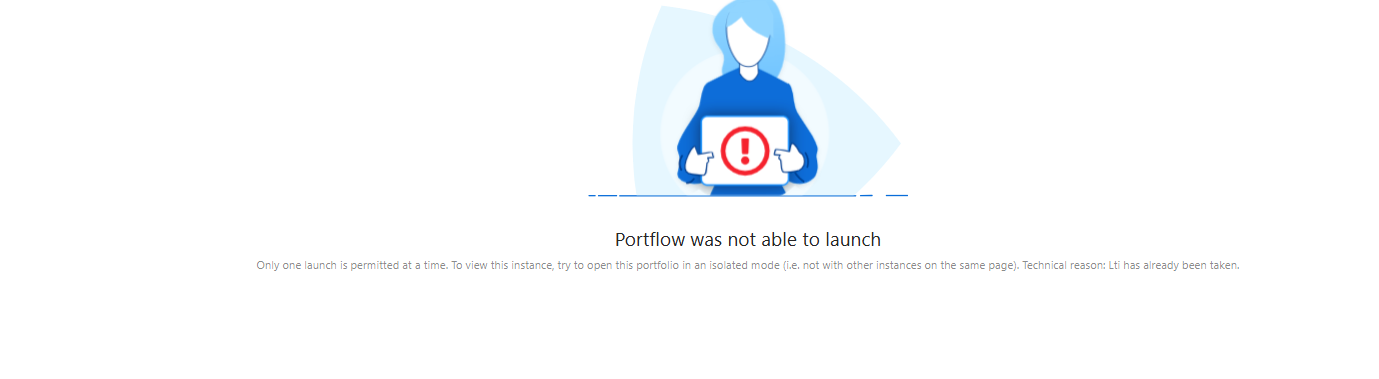
In some cases, you cannot fix the launch error as an admin
In that case, send over the following information in a support ticket to Drieam. You can find it in Canvas / Admin / Users (maybe use the API), or in Portflow (See Portflow / Admin / Data Management):
Which domain (if multiple installations: which installation of Portflow)
About the original secondary user:
Canvas user ID
SIS user ID
UUID
Name
E-mail
About the original primary user (the one whose information you can view through the UI):
Canvas user ID
Which of the portfolio's do you want to keep?
In some cases, it is possible to fix it yourself. Follow these steps with the user and the admin:
The solution to this Launch error is to delete the access tokens to Portflow from the user account.
Log in to your Canvas account as the user experiencing the error.
Go to Account → Settings
Scroll down to Approved Integrations
Remove the tokens using the trash icons.
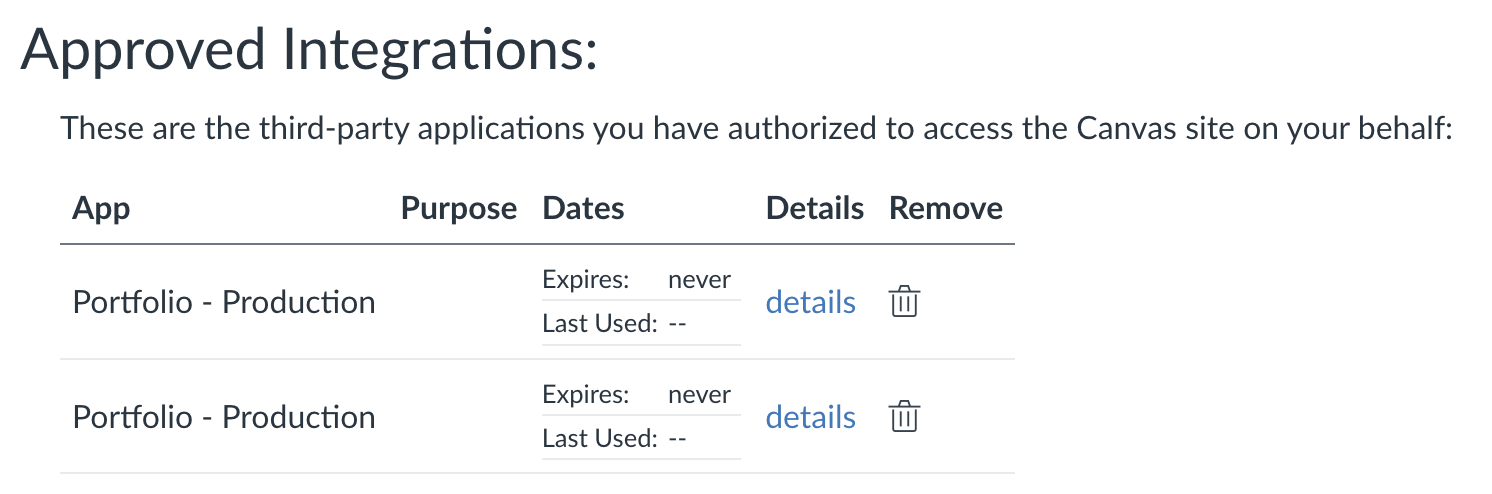
Launch Portflow and authorise Portflow again.
If this is not possible, the Portflow admin can deactivate and then delete one of the original accounts.
Go to Portflow.
Go Admin → Data management.
Find the user you wish to deactivate.
Deactivate the user
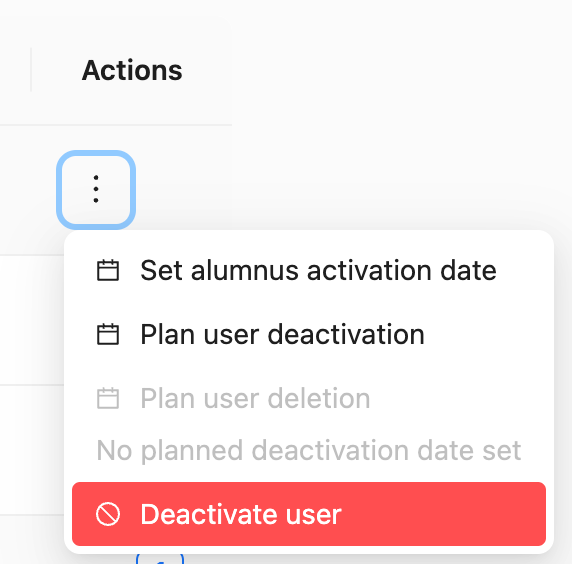
Go to the Deactivated users tab
Find the user you wish to delete
Delete the user
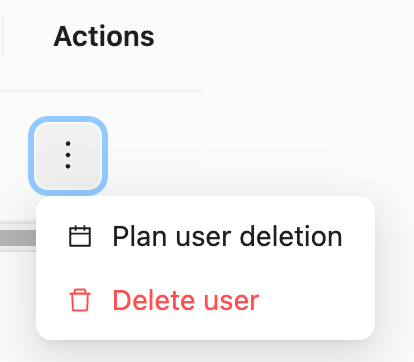
The user can now launch Portflow again, and continue on the portfolio of the original account that was not deleted.